

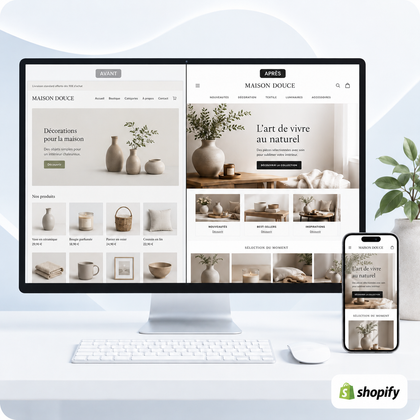




To properly organize a Shopify store's collections, start from how customers search for products. Create a few clearly distinct main families, use subentries in the menu when the catalog warrants it, then let the filters narrow down the choice. Each collection must have a specific role, consistent products and an understandable title.

Is your catalog difficult to navigate?
SiteQuiVend can create or optimize your collections, affect the planned products and harmonize the content provided.
A collection must meet a clear intention
A Shopify collection isn't just a technical list of products. It serves as a destination in navigation, an entry page from a search engine or a campaign, and as a step between a general need and a specific product sheet.
Product type
Examples: shirts, lighting, rings or accessories. This logic works when the visitor already knows the category they are looking for.
Use or need
Examples: gift, travel, teleworking or maintenance. It helps when several types of products respond to the same situation.
Public or context
Examples: professional, child, beginner or small space, provided that this grouping really corresponds to the products.
Commercial time
New releases, best sellers or seasonal offers can complement the architecture without replacing permanent categories.
Start with inventory and customer vocabulary
List the products, their types, characteristics, uses, audiences, price ranges and seasonality. Then note the terms used in internal searches, the questions received and the most consulted sheets. The objective is to bring the commercial structure closer to the actual catalog.
- Locate categories that contain enough products to justify a page.
- Identify products that may legitimately belong to multiple collections.
- Separate permanent categories from temporary selections.
- Standardize the data needed for rules and filters: type, tags, options or meta fields.
Build a simple and scalable architecture
Organize large families first, then add a second level only when it actually helps choose. The visible hierarchy can be created in Shopify menus by nesting links under a header. Avoid reproducing the entire database in the main menu.
Manual collection or smart collection?
The choice depends above all on the frequency of changes and the reliability of product data. Shopify allows you to directly select products from a manual collection or use conditions to power a smart collection.
| Type | Suitable when | Point of vigilance |
|---|---|---|
| Manual | The selection is short, editorial or must be chosen product by product | Each addition or removal requires intervention |
| Smart collection | Products follow stable rules based on consistent data | Wrong data can add or exclude the wrong product |
| Temporary selection | The collection supports a specific campaign, season or operation | Plan its date, removal and future destination of its URL |
Before automating, test the rules on multiple cases: product with multiple tags, item unavailable, specific variant or newly added range. Shopify states that a smart collection can combine conditions using "all" or "any" logic; the result must therefore be checked after each significant modification.
Do not confuse collections, menus and filters
The collection brings together products. The menu provides access to collections and other pages. Filters reduce results within a collection or search. These three elements work together, but do not meet the same need.
- Keep priority families and destinations in the main menu.
- Use drop-down menus to present a short, predictable hierarchy.
- Place legal pages, contact details and secondary information in the footer.
- Add only filters that match reliable data and real choice.
With the Search & Discovery application, Shopify allows you to choose filter sources and rename their visible labels. However, check the compatibility of your theme and mobile rendering. Official references: automated collections, drop-down menus and search & Discovery filters.
Optimize the content and SEO of each collection
Give each collection a separate title, short presentation, and descriptive URL. The text should explain what the page brings together, the important differences between products, and the selection criteria. It should not push the entire product grid too low on mobile.
- Write an understandable title rather than an internal company name.
- Avoid multiple collections with almost identical texts and selections.
- Add links to nearby collections when they make the journey easier.
- Preserve useful URLs; if an address changes, prepare a redirect.
- Control the SEO title, meta description, image and its alt text.
For individual page design, see How to create an effective Shopify collection?. The guide on creating a store with a small catalog also helps avoid disproportionate architecture.
Errors that confuse the catalog
Too many close collections
The customer hesitates between several titles which seem to lead to the same products.
Fragile automatic rules
Inconsistent tags, variable product types or overly broad conditions distort selections.
A menu that copies everything
Navigation that is too deep slows down the choice and becomes difficult to use on the phone.
Filters without reliable data
Duplicate, empty or incomprehensible values give the impression of a poorly maintained catalog.
Which service should you choose for your collections?
Formulas include creating or optimizing planned collections, formatting provided titles and content, product assignment, integrating provided images, basic SEO, and responsive control. Features, specific filters, full texts, images to be created, translation or overall navigation overhaul require a separate assessment.
Either €15 or €13 per compatible collection.
Either €11 or €10 per compatible collection.
The calendar is confirmed after checking the catalog and receiving the necessary content, images, instructions and access.
How many collections should your store actually have?
Present your current catalog and your product families. SiteQuiVend will be able to distinguish the collections to create, those to optimize and the elements that relate to navigation or filters.
Checklist before publishing architecture
The 12 essential controls
- Each collection has a distinct role
- Titles use customer vocabulary
- Products are affected correctly
- Automatic rules are tested
- The menu remains short and readable
- Filters are based on their own data
- Empty collections are avoided
- Temporary selections have a planned sequel
- Useful URLs are preserved
- The texts are not duplicated
- Internal links work
- The route is checked on the phone
Shopify Collections Organization FAQ
How many collections should you create?
There is no universal number. Only create pages that match a truly useful family, intent, or selection.
What is the difference between a collection and a category?
In common parlance, a Shopify collection often plays the role of category. The menu gives it a visible place in navigation.
Can we put a product in several collections?
Yes, if each membership is consistent. A product can fall under a type, use and commercial selection without creating contradiction.
Should you choose manual or automatic collections?
Use the manual for precise editorial selection and smart collections when consistent data allows reliable rules.
Do filters replace subcategories?
Not always. Subcategories create sustainable destinations; filters refine results based on criteria like size, color or price.
Can we rename an existing collection?
Yes, but check the impact on menu, SEO title and URL. If the address changes, provide redirection and update internal links.
Is the full wording included in the forms?
No. Formatting of the content provided is included; complete writing or significant rewriting is offered upon quote.
How to verify that the organization is effective?
Test real journeys on computer and phone, monitor internal searches and observe questions or dropouts without concluding from a single indicator.
A clear organization before being exhaustive
Good architecture does not seek to multiply entries. It gives each collection an identifiable function, reserves the menu for priority destinations and uses filters for fine criteria. Starting from real products and customer vocabulary, your catalog remains easier to maintain and develop.
Structure your collections with SiteQuiVend
Have the volume, status of product data and current navigation evaluated in order to define a suitable intervention.
